


Tonk Star Classic Card Game
4.6914.00 Reviews
App Specs
- Version
- 3.9.9.409
- Updated On
- License
- Free
- Downloads
- 100,000+
- Developer
- Garia Games Ltd
- Categories
- Card
- Platform
- Android
Screenshots
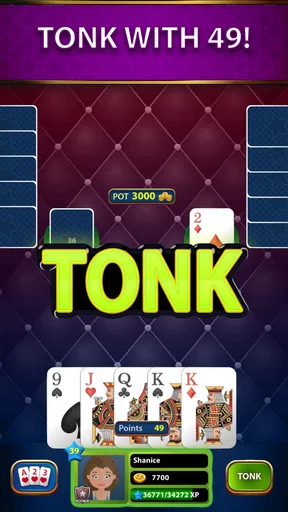
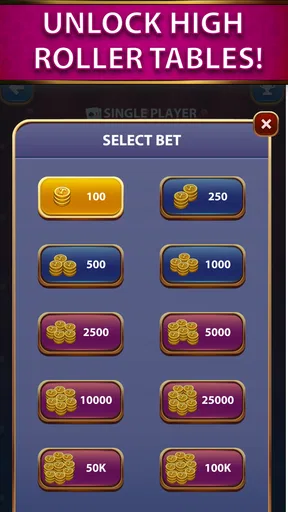
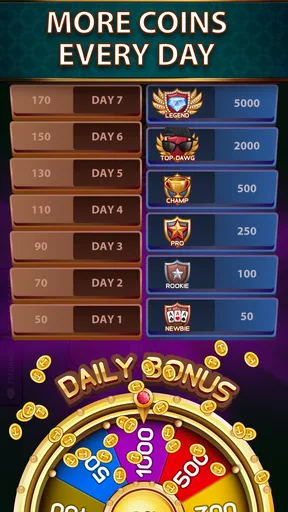
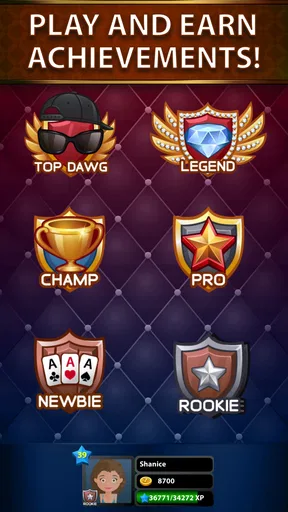
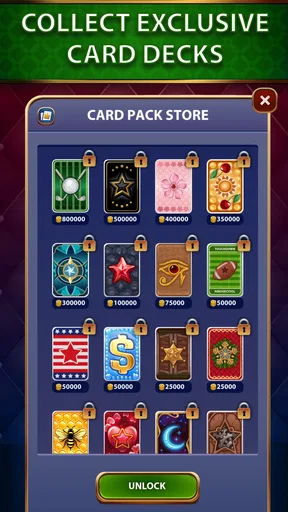

 Analysis by AppCompare
I enjoy card games most when I can understand the rules quickly but still have meaningful decisions to make several hands later. That is the space Tonk Star Classic Card Game tries to occupy. It is a free card game from Garia Games Ltd, built around classic Tonk and its original rules rather than a collection of unrelated modes. After spending time with it, I see the appeal clearly: it is easy to pick up for a short break, yet the value of each discard depends on memory, timing, and how confidently you can read the table.
The game has a 4.6 average from around 5.9 thousand ratings, which matches my general impression that it is a well-liked choice among people who already enjoy Tonk. It has passed 100 thousand installs, so it is not an obscure experiment, but it also feels more focused than the enormous all-in-one card-game apps that try to include every familiar table game. The important question is not whether Tonk Star has the biggest feature list. It is whether you want a straightforward Tonk experience and can live with the small points of friction that come with a focused mobile adaptation.
Getting into a Tonk match without unnecessary confusion
The first hurdle is not learning that this is a card game; it is understanding how the classic Tonk flow feels on a phone. Players who know the traditional game will probably settle in quickly, while newcomers may need a few hands before the pace and purpose of each move become natural. Tonk rewards attention to the cards that have already appeared, so simply tapping the most obvious legal choice is rarely the best long-term approach.
I recommend treating the opening hands as practice rather than trying to play perfectly immediately. Watch what is being discarded, notice which combinations you are building, and resist the temptation to throw away a card just because it does not help your current hand. A card that looks useless can still be valuable if it blocks an opponent from completing a likely combination. That is one of the first useful lessons the app communicates through play, even without turning the experience into a formal tutorial.
The original-rules focus is a strength for experienced Tonk players. It gives the game a recognizable identity instead of making the rules feel like a loose variation. At the same time, that focus means this is not the ideal download for somebody looking for solitaire, poker, rummy, and several other games in one place. If you want variety above all else, a broad card-game collection will probably serve you better. If you want to concentrate on Tonk, the narrower design is more appealing.
One practical source of confusion is the difference between a poor hand and a poor decision. Tonk can make a sensible move look bad when the next cards favor another player. I found it more useful to judge decisions by the information available at the moment rather than by the final result. Keeping track of discarded ranks, protecting a promising combination, and avoiding predictable play matter more than chasing a dramatic finish every time.
Small setup checks that prevent avoidable frustration
Before blaming the game for a difficult start, I would check the basic device conditions. Tonk Star requires Android 7.0 or later, and the current version is 3.9.9.409. If the game will not install or behaves strangely at launch, confirming the operating-system requirement and making sure the app has completed its update is a sensible first step. This is especially relevant on an older phone that may install other card games but no longer handle newer app builds comfortably.
Worth Reading Before You Choose

EA SPORTS FC Mobile 26 Is a Bigger Football Game, but It Takes Time

Flipboard Shows What News Apps Must Do Beyond the Feed

Switching to Android Auto Means Rethinking Your Driving Routine

Google Calendar Makes a Crowded Week Easier to Manage

Ludo King Makes the Most of the Minutes Between Plans

Baby Panda World Brings Quick Play to Modern Phones, but Its Game Library Feels Busy
I also suggest opening the game when the phone has a stable connection and enough free storage for an update. I am not presenting that as a special Tonk Star requirement; it is simply a practical way to avoid mistaking an interrupted installation or a half-finished update for a gameplay problem. If the app opens but a screen does not respond, close it normally, reopen it, and try again before changing anything more drastic.
Because the game is free to download, it is easy to start without a financial commitment. There are in-app purchases ranging from $0.99 to $79.99 per item, however, so I would review the purchase controls on the device before handing the phone to a child or allowing casual tapping around the store. The content rating is Teen, which is another reason I would not treat it as an automatic choice for very young players simply because the game uses cards.
A useful preparation habit is to decide what you want from the session. If I have only a few minutes, I play with a relaxed goal: learn the opponents’ tendencies and avoid rushed discards. If I want a more serious run, I make sure notifications are not likely to interrupt my concentration. Tonk is not physically demanding, but a distracted player can easily forget a discarded rank and make a decision based on information that is no longer accurate.
Recovering when a hand or session goes wrong
When a match stops feeling clear, I use a simple recovery routine. First, I pause mentally and identify the current objective: reduce the value of the hand, complete a useful combination, or prevent an opponent from receiving an easy card. Second, I look at the visible discard history rather than relying on memory from several turns ago. Third, I choose the move that keeps the most options open instead of making a desperate play for an immediate finish.
This approach is particularly helpful for new players who believe every turn must produce a combination. It does not. Sometimes the best recovery is to preserve flexibility and wait for a better draw. A hand with several connected possibilities can be stronger than one with a single attractive pair if the pair leaves you holding awkward cards afterward. That trade-off is easy to miss when the interface encourages quick taps.
If the app closes unexpectedly, I would reopen it and check whether the session returns to its previous state before starting another match. If the problem repeats, the safe general steps are to restart the device, confirm that the game is updated, and check whether other apps are also struggling. Clearing temporary app data can sometimes help on Android, but I would use that cautiously and only after considering whether it could remove local session information. I would not repeatedly reinstall the game as a first response.
There is also a social recovery skill that matters: do not let one unlucky hand dictate the next five. Tonk is short enough to invite rematches, and that can encourage impulsive play. I found that taking a brief pause after a loss improves decisions more than immediately trying to win the points back. The app works best when I treat each hand as a small puzzle, not as a test of whether I am naturally good at cards.
Separating app trouble from connection and device trouble
Not every interruption comes from Tonk Star itself. A weak or changing connection can make any online-dependent activity feel frozen, while a phone under heavy memory pressure may close a game without warning. If other apps are slow, the device is hot, or the operating system is showing storage warnings, I would investigate those conditions first. Closing unused apps and restarting the phone are boring suggestions, but they are often more useful than changing game settings at random.
It is also worth distinguishing a rule you dislike from a technical fault. Because this adaptation aims to follow classic Tonk rules, an outcome that seems surprising may be part of the rules rather than a malfunction. Before reporting a problem, I would note what happened, which cards were visible, and whether the same situation can be reproduced. That makes it easier to decide whether I misunderstood the hand or encountered a genuine issue.
Battery behavior can affect the experience too. A long card session with the screen active may drain a phone faster than a turn-based game played in short bursts, especially on an older device. I prefer shorter sessions when the phone is already low on power. This is not a criticism unique to the app, but it matters for the everyday use case: Tonk Star is convenient for a break, yet less convenient if you expect to leave it open for hours while moving between weak-signal areas.
The same distinction applies to purchases. If a transaction does not appear immediately, I would avoid pressing the purchase control repeatedly. I would first check the device’s purchase history and account status, then allow time for the store process to settle. That is a general safety habit, but it is important here because the available items can cost substantially more than a casual one-time purchase. I would keep the game free-to-start in my head, not assume every optional item is automatically harmless.
Where the everyday experience works best
My favorite use case is a short evening break when I want something more engaging than passive scrolling but less demanding than a strategy game with a large campaign. I can play a hand, pay attention to the discard pattern, and stop without needing to remember a complicated story or a long-term upgrade path. The classic rules make the session feel familiar once the rhythm clicks.
It can also work well for someone returning to Tonk after years away. Rather than searching for a full rulebook or gathering a physical table, the app gives that player a convenient way to rebuild confidence. I would still suggest checking the rules if your family or local group uses a house variation, because “classic” does not guarantee that every group’s preferred interpretation is identical. The app is best when you want its ruleset, not when you need it to imitate a private version played among friends.
For beginners, the strongest learning method is to focus on one skill per session. In one session, track discards. In another, pay attention to how often holding a connected card helps more than keeping a high-value card. Later, practice delaying a move until you understand what the opponent’s recent choices suggest. This turns casual play into a useful training loop and avoids the common mistake of trying to master every strategic idea at once.
On the other hand, I would skip it if you dislike traditional card-game uncertainty. Even careful play cannot guarantee a win, and the satisfaction comes from making better decisions with incomplete information. I would also choose a different app if my priority were polished social interaction, a large selection of card games, or a highly customized visual experience. Tonk Star’s identity is its specific game, not an attempt to be a complete digital recreation of every card table.
How it compares with physical cards and broader alternatives
Compared with a physical deck, Tonk Star removes the need to prepare a table, shuffle, and keep track of the hand manually. That makes it the easier option when I am alone or when nobody nearby wants to play. The trade-off is that a phone cannot reproduce the same face-to-face atmosphere. If the main reason you enjoy Tonk is conversation and reading a friend’s reactions, a real deck remains better.
Compared with solitaire, this game asks for more awareness of another player’s likely intentions. Solitaire is often better when I want a purely private puzzle with a slower, more solitary rhythm. Tonk is more satisfying when I want my decisions to interact with an opponent’s choices. Compared with poker, it is less about betting drama and more about hand management, card memory, and timing. Those differences make the choice fairly clear: select Tonk Star for Tonk strategy, not because it resembles every other popular card game.
Large card-game apps may offer more modes and a busier sense of progression, but that variety can dilute the rules of any one game. Here, the focused design helps me stay with the same strategic vocabulary from one hand to the next. The downside is equally clear: if I get tired of Tonk, there is no reason to keep the app installed merely for unrelated diversions. It earns its place through the quality and convenience of this particular experience.
The free entry point is helpful for testing that fit. I can find out whether I enjoy the classic rules before spending anything, while the presence of optional purchases means I should keep an eye on account controls. That balance is reasonable for a player who is comfortable ignoring extras, but less attractive to someone who wants a completely purchase-free environment with no temptation at all.
My practical verdict after using it
Tonk Star Classic Card Game is a focused Android card game that succeeds when its priorities match yours. Garia Games Ltd has centered the experience on classic Tonk, and that makes it easy for returning players to recognize the game while giving beginners a clear card strategy to learn. The 4.6 average and roughly 5.9 thousand ratings suggest a strong reception, and I can understand why: the basic appeal is immediate, the sessions are manageable, and the rules create more depth than the simple presentation might suggest.
I would recommend it to someone who wants a free way to play Tonk during short breaks, learn through repeated hands, or replace a physical deck when another player is not available. I would especially recommend using the discard-history habit and the one-skill-per-session approach, because those turn random losses into practical improvement. I would keep purchase controls in mind, install it only on a compatible device, and troubleshoot connection or phone problems before assuming the game is broken.
I would not recommend it to a player seeking a broad card-game collection, a strong substitute for in-person conversation, or a completely risk-free purchase environment. Those are not failures of the app; they are mismatches between the focused Tonk design and a different expectation. For the right player, the best reason to try it is its concentrated, recognizable card-game loop: draw, discard, remember, and decide whether patience is worth more than an immediate move.
With a Teen content rating, a minimum requirement of Android 7.0, and a free starting price, it is accessible to many Android users who already know they enjoy this kind of game. I would approach it as a compact Tonk table rather than a full entertainment platform. If that sounds like what you want, Tonk Star Classic Card Game is a sensible download to try, and its limitations are easy to accept once you value the classic game more than extra decoration.
Pros
- Simple rules make it easy for new players to learn quickly.
- Short rounds are convenient for casual play or quick breaks.
- Offline play lets you enjoy matches without a stable connection.
- Clear card layouts make the game comfortable to follow on small screens.
- Classic gameplay offers a familiar experience for traditional card fans.
Cons
- Limited game variety may feel repetitive after extended sessions.
- Ads can interrupt the flow
- especially between completed rounds.
- The interface may feel dated compared with newer card games.
- Online features and player interaction may be relatively limited.
- Luck can strongly influence results
- reducing the impact of strategy.
FAQs for Tonk Star Classic Card Game
What is Tonk Star Classic Card Game?
Tonk Star Classic Card Game is a mobile version of the traditional Tonk, or Tunk, card game. It is designed for quick rounds in which players draw and discard cards while trying to form combinations and reduce the value of the cards left in their hand. The app is aimed at fans of classic card games who want an accessible way to play on a phone or tablet.
How do you play Tonk Star and what is the objective?
The main objective is to organize your hand into useful combinations, such as sets or runs, while keeping your unmatched cards as low in value as possible. During each turn, you normally draw a card and discard one, gradually improving your hand. Depending on the selected rules or mode, a player may win by knocking, going out, or holding the lowest total when the round ends.
Can Tonk Star Classic Card Game be played offline?
Offline availability can depend on the version of the app, the selected game mode, and whether an initial connection is required to load advertisements or account services. After installing Tonk Star, it is worth testing a match with Wi-Fi and mobile data disabled. If offline play is supported, it is particularly useful for travel, waiting rooms, or other situations without a reliable internet connection.
Is Tonk Star suitable for beginners who have never played Tonk?
Yes, the game can be approachable for beginners, especially if it includes a tutorial, guided instructions, or practice matches. New players should first learn how card values, valid combinations, discarding, and the end-of-round rules work. Because Tonk variations may differ, beginners should also read the in-game rules carefully rather than assuming that every table uses identical scoring or winning conditions.
Does Tonk Star contain ads, in-app purchases, or online competition?
The exact monetization and multiplayer features may vary by platform and app version, so users should check the current store listing before downloading. Many free card games use advertising and may offer optional purchases for removing ads, unlocking features, or obtaining virtual items. If Tonk Star includes online play, a stable connection may be necessary, and users should review privacy, permissions, and purchase settings before starting.


